A merge conflict happens when Git cannot safely combine two sets of changes on its own. This often sounds frightening to beginners, but a conflict is not a disaster. It is simply Git stopping and asking a human to decide which version of the text should be kept.
What a conflict usually means
Most conflicts happen because two branches changed the same lines of the same file, or because one branch changed a file that another branch deleted or renamed.
Typical situations include:
two contributors editing the same paragraph in a documentation file
one contributor renaming a function while another edits calls to that function
a long-lived branch falling behind
main
Why Git stops
Git can merge many independent changes automatically. For example, if you edit one file and another contributor edits a different file, Git usually has no trouble combining those changes.
But if Git sees competing edits to the same section, it does not guess. It pauses so that you can inspect the result.
A simple conflict workflow
Suppose you are on your feature branch and want to merge in the latest changes from main:
git checkout my-feature-branch
git merge main
If Git reports a conflict, use:
git statusGit will list the files that need attention.
Open one of those files and you may see markers like these:
<<<<<<< HEAD
Your version of the text
=======
Incoming version of the text
>>>>>>> main
These markers show the competing edits. Your job is to rewrite that section so that the file contains the correct final version and none of the conflict markers remain.
Resolving the conflict
After editing the file into its final state:
git add path/to/conflicted-file
git commit
That commit completes the merge.
If several files are conflicted, resolve each one, stage each resolved file, and then make the merge commit after all conflicts are cleared.
Good habits during conflict resolution
Read the surrounding code or text, not just the marked lines.
Decide what the final intended result should be.
Run tests or rebuild documentation after resolving conflicts.
Use
git diffto inspect the final merged version before committing.Ask for help if you are not sure which side should win.
File diffs
A diff is a comparison showing how one version of a file differs from another. Diffs are the basic unit of code review on GitHub and one of the best tools for understanding a merge conflict.
Useful commands include:
git diff
git diff main..my-feature-branch
git diff --staged
These help you answer three different questions:
What have I changed but not staged?
What have I staged for the next commit?
How does my branch differ from another branch?
Conflict prevention
You cannot eliminate conflicts entirely, but you can reduce them.
Keep branches focused and short-lived.
Sync your local
mainbranch withupstream/mainregularly.Merge or rebase against current
mainbefore a branch drifts too far.Communicate with collaborators when multiple people are editing the same files.
Keep calm
The key lesson is that a merge conflict is a request for judgment, not proof that something has gone wrong beyond repair.
Include Figure 1 in this discussion with respect to proper handling of merge conflicts versus complete burndowns.
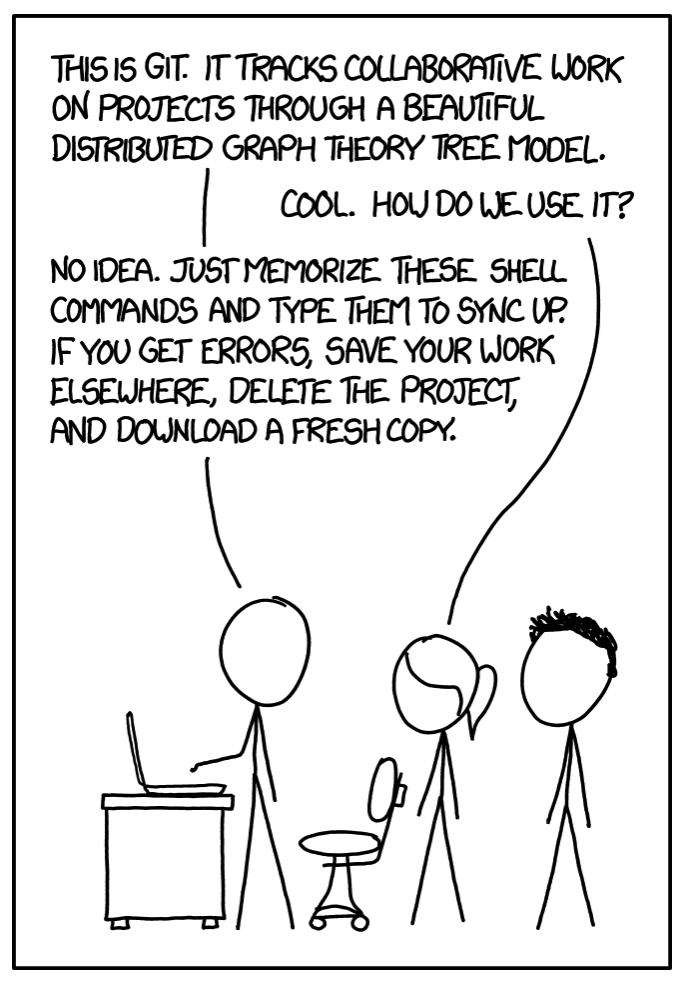
Figure 1:The “burn down” method is for newbies, taken from xkcd.com, comic 1597